
Make a glass material in Three.js
Updated on . Tested with three.js r186, R3F 9 and drei 10.
Glass is where a three.js scene usually gives itself away. A perfume bottle,
a lamp shade or a glass table top has to let the room show through it, bent,
with highlights across the surface, or it looks like gray plastic.
To get the best-looking glass in three.js, we use MeshPhysicalMaterial
and not MeshStandardMaterial.
A glass material needs four things.
transmission: 1lets the scene behind show through.roughness: 0keeps it clear instead of frosted.- A
thicknessabove zero bends what shows through. - An environment map gives the glass something to reflect.
Leave opacity at 1 and transparent off. Opacity fades the whole object, reflections included, so the glass looks washed out instead of clear.
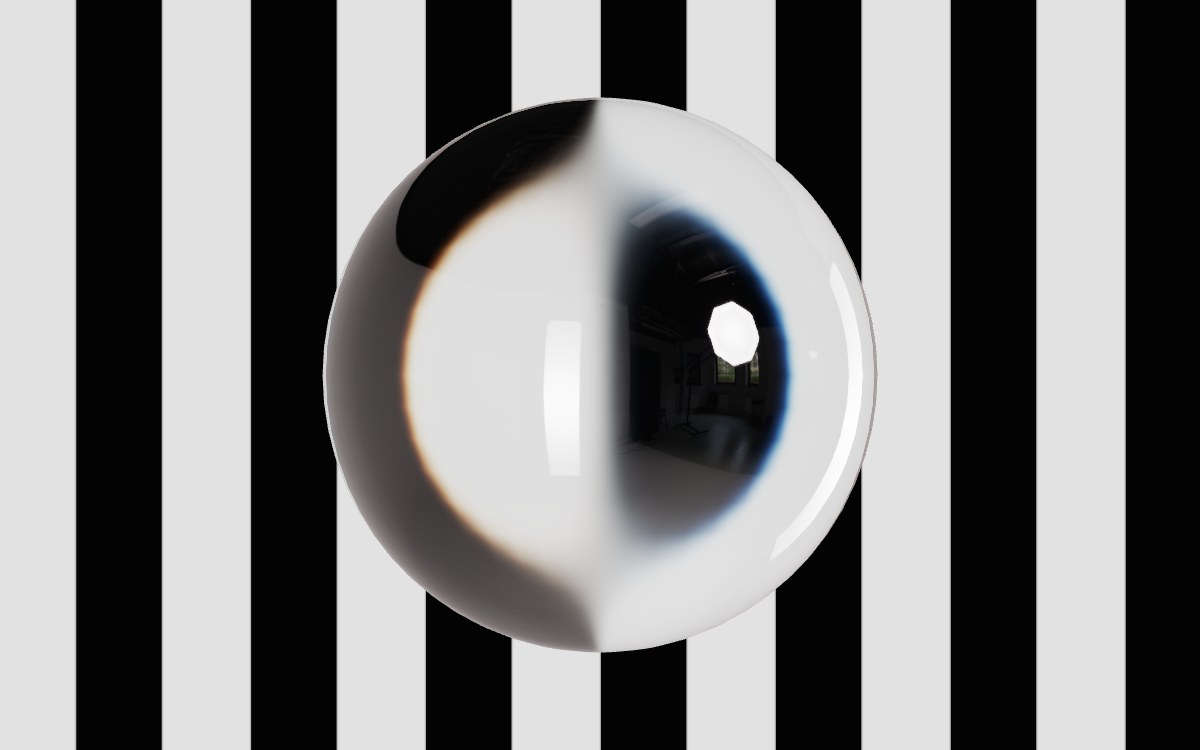
A glass ball in front of something
This is the smallest scene that shows clear glass, one MeshPhysicalMaterial ball lit by the RoomEnvironment that ships with three.js.
import * as THREE from 'three';
import { RoomEnvironment } from 'three/addons/environments/RoomEnvironment.js';

const renderer = new THREE.WebGLRenderer({ antialias: true });
renderer.setPixelRatio(window.devicePixelRatio);
renderer.setSize(window.innerWidth, window.innerHeight);
renderer.toneMapping = THREE.ACESFilmicToneMapping;
document.body.appendChild(renderer.domElement);

const scene = new THREE.Scene();
scene.background = new THREE.Color('#e9e7e2');

const camera = new THREE.PerspectiveCamera(35, window.innerWidth / window.innerHeight, 0.1, 100);
camera.position.set(0, 0.6, 3);
camera.lookAt(0, 0, 0);

// Glass shows what is around it. RoomEnvironment is built in and loads no file.
const pmrem = new THREE.PMREMGenerator(renderer);
scene.environment = pmrem.fromScene(new RoomEnvironment(), 0.04).texture;

const glass = new THREE.MeshPhysicalMaterial({
  color: 0xffffff,
  metalness: 0,
  roughness: 0,
  transmission: 1,
  thickness: 1,
  ior: 1.5,
});

const ball = new THREE.Mesh(new THREE.SphereGeometry(0.5, 64, 32), glass);
scene.add(ball);

renderer.setAnimationLoop(() => renderer.render(scene, camera));
Place something colorful behind the ball, a few boxes work fine, so the glass has something to bend. You can find every property mentioned here in the MeshPhysicalMaterial docs.
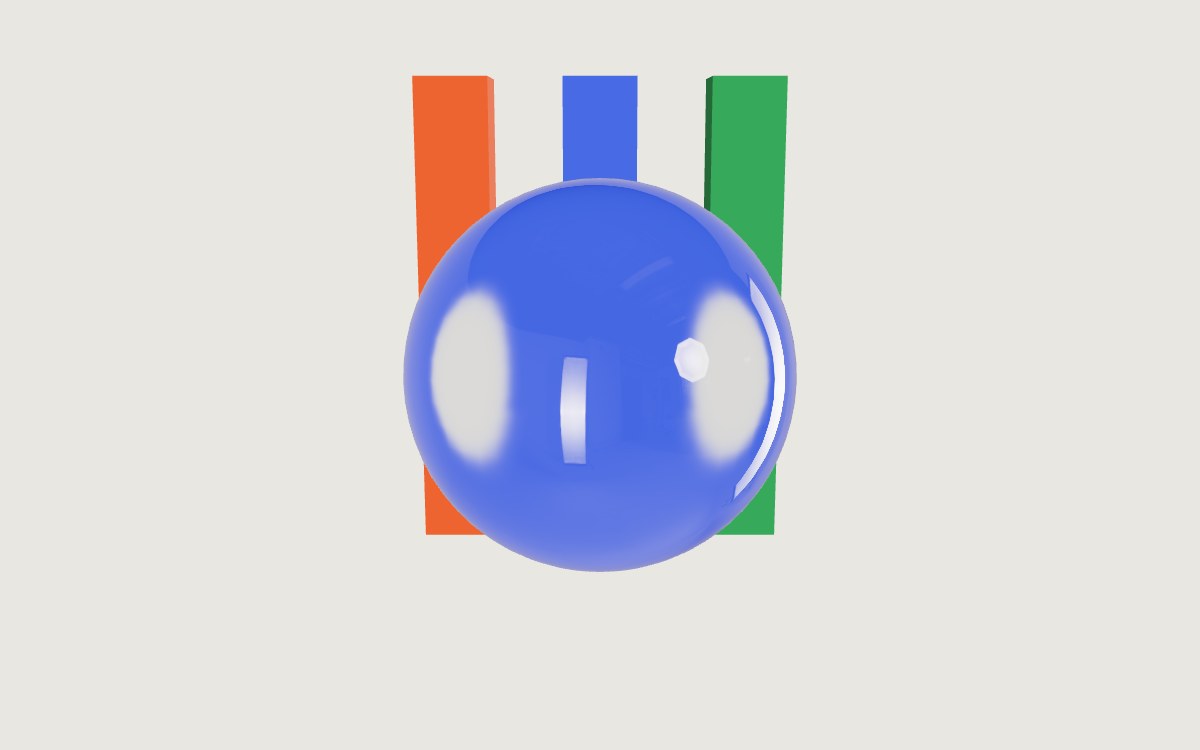
The glass looks flat, white or dark
Glass is almost nothing but reflection and refraction, so it can only show what surrounds it. Without scene.environment, it has nothing to reflect except your lights, and the three.js docs tell you to always give this material an environment map. The built-in RoomEnvironment above is enough to see the material in action. For a product shot, load your own studio HDRI.
import { HDRLoader } from 'three/addons/loaders/HDRLoader.js';
import { rememberEnvironmentSource } from '@oeave/bakery3';

new HDRLoader().load('/hdri/studio.hdr', (texture) => {
  texture.mapping = THREE.EquirectangularReflectionMapping;
  scene.environment = texture;
  rememberEnvironmentSource(texture, '/hdri/studio.hdr'); // so a render is lit by it too
});
The last line only matters if you render the scene with Bakery3. The SDK cannot read the pixels of a texture you loaded yourself, so you tell it where they came from, or the render is lit without the HDRI (more).
HDRLoader is what older tutorials call RGBELoader. r180 renamed it and kept the old name as a deprecated alias, so old code still runs but logs a warning.
The material's color multiplies the light that passes through, so anything other than white tints the whole object evenly. Keep it white and tint with attenuation instead (below).
Make it bend what is behind it
With thickness: 0 three.js treats the surface as thin-walled, so what is behind
shows through without bending, like a window pane. Any value above zero makes
the mesh a solid block of glass, and the scene behind it shifts as if seen
through a lens.
Set thickness to roughly how deep the object is, in the mesh's own units.
three.js multiplies it by the mesh's scale, so a vase modeled in centimeters
and scaled by 0.01 to fit a scene in meters needs thickness: 50 for 50 cm of
glass, not 0.5. For the 1 unit ball above, 1 is right.
ior (index of refraction) is how strongly the glass bends light. Window
glass is about 1.52 and water 1.33 (list of refractive
indices), so
three.js's default of 1.5 suits most glass. three.js accepts 1 to 2.333.
Frosted glass
For frosted glass, keep transmission: 1 and raise roughness, here to 0.35.
const frosted = new THREE.MeshPhysicalMaterial({
  roughness: 0.35,
  transmission: 1,
  thickness: 1,
});
Roughness makes the stuff behind the glass look blurry, and it scatters reflections too. three.js does this blur by grabbing a tinier copy of what's behind the glass, so rough glass runs just as fast as clear glass.
The real hit is making that copy in the first place, because three.js has to draw every solid object again, each frame, into a buffer that matches your canvas size. If glass is dragging your scene down on phones, just make that buffer smaller.
// The buffer behind the glass at half the width and height: a quarter of the pixels.
renderer.transmissionResolutionScale = 0.5;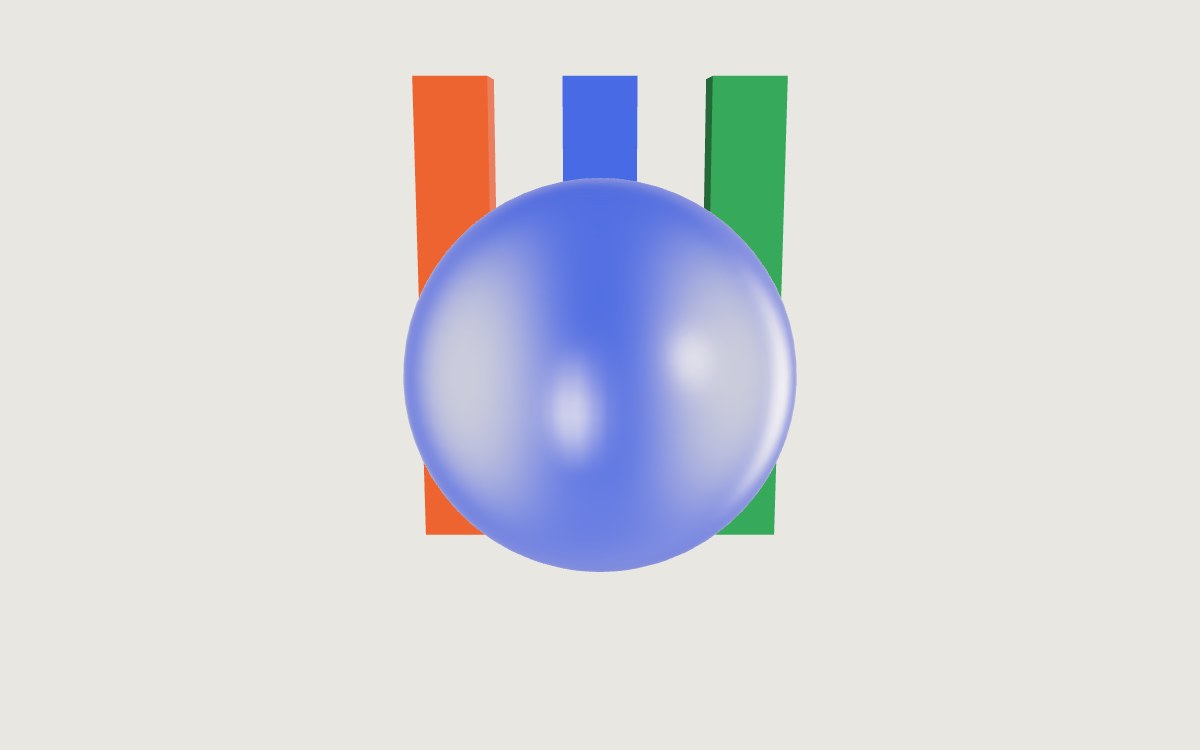
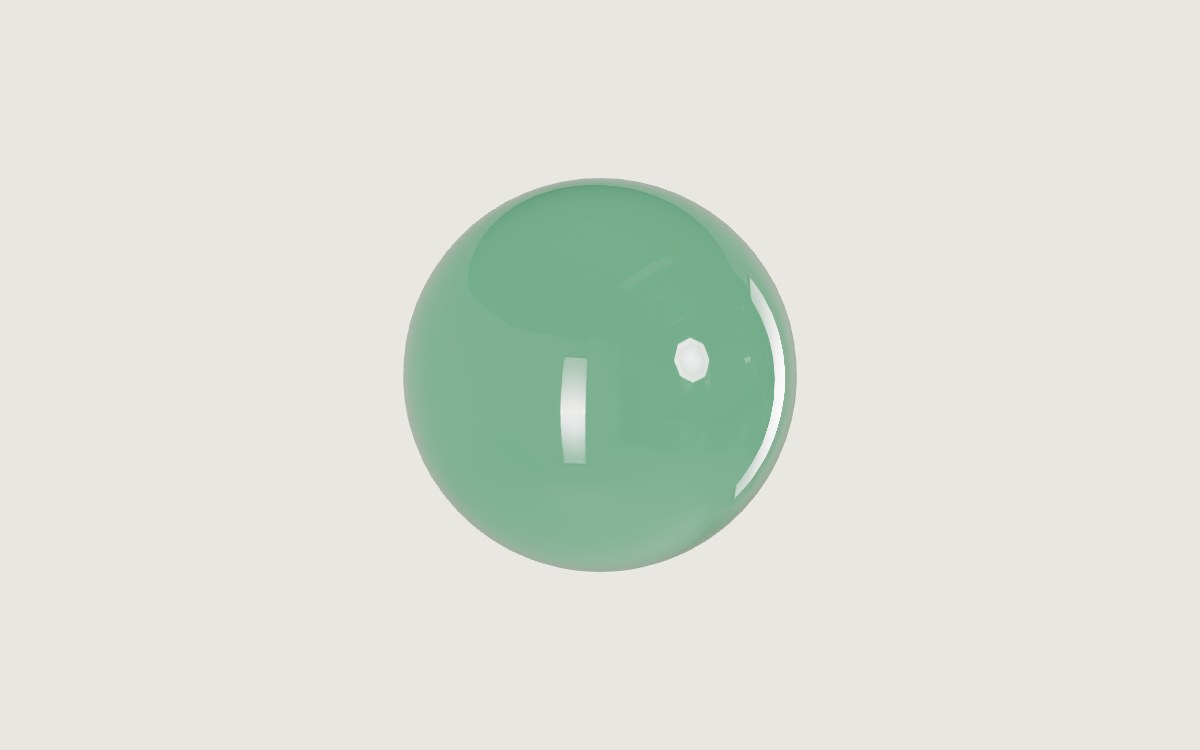
Colored glass that gets darker where it is thicker
Color the glass with attenuationColor and attenuationDistance, which darken the light the more glass it passes through.
const bottleGreen = new THREE.MeshPhysicalMaterial({
  roughness: 0,
  transmission: 1,
  thickness: 1,
  attenuationColor: new THREE.Color('#2f7d4f'),
  attenuationDistance: 2,
});
attenuationColor is the color white light becomes after it passes through attenuationDistance of glass, measured in world units. A shorter distance means darker glass.
three.js gets the glass depth from thickness, using the same value across the whole object, so the tint is uniform from the center to the edges. A thicknessMap (using its green channel) is how you make the center appear deeper.
Rainbow edges
Rainbow edges come from dispersion, and a higher ior spreads the colors further apart.
const crystal = new THREE.MeshPhysicalMaterial({
  roughness: 0,
  transmission: 1,
  thickness: 1,
  ior: 2.2,
  dispersion: 0.4,
});
dispersion breaks light into colors at the edges, like cut crystal. three.js says 0 to 1 is the realistic range, and it only works if transmission is above zero. The fringes are thin, so you see them where the glass bends a sharp light or dark edge.
A drinking glass, vase or bottle
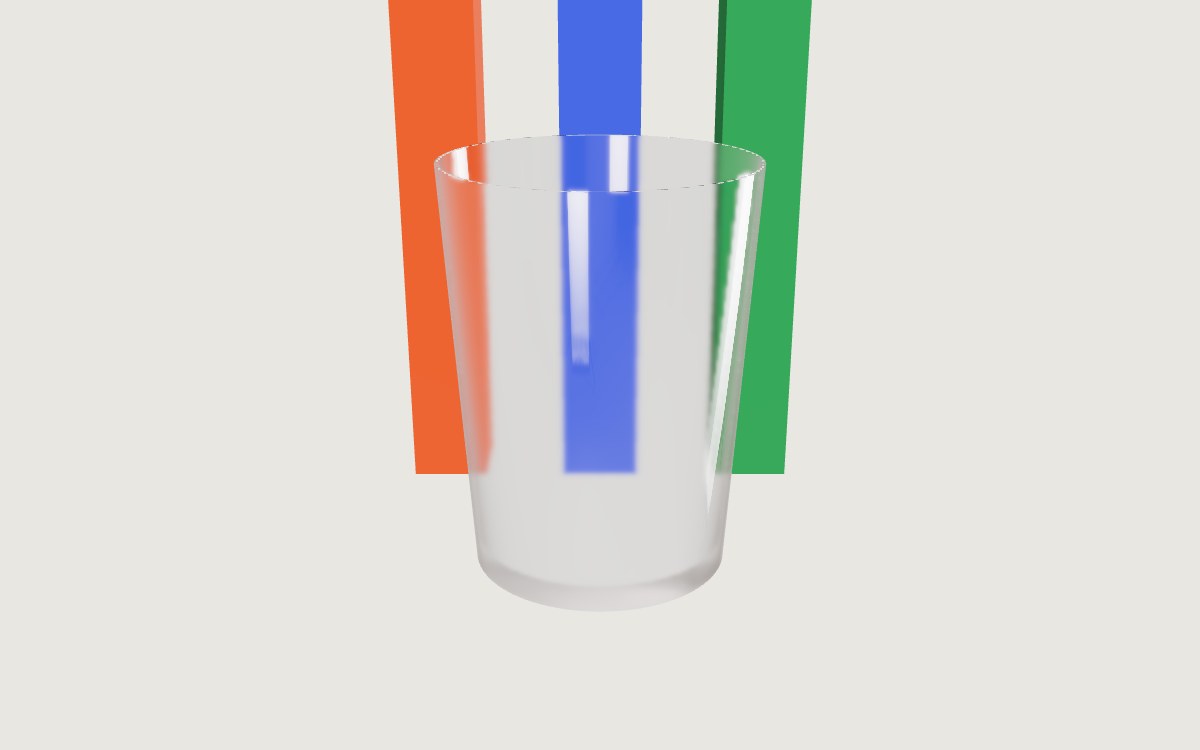
A drinking glass is modeled hollow, with an outer wall and an inner wall a few millimeters apart. Give it a thickness the size of that wall, and draw both sides.
// A drinking glass: a hollow mesh with an inner and an outer wall.
const drinkingGlass = new THREE.MeshPhysicalMaterial({
  roughness: 0,
  transmission: 1,
  thickness: 0.005,
  side: THREE.DoubleSide,
});
With side: THREE.DoubleSide three.js first draws the back faces of the
glass into the buffer behind it, so the far wall shows through the near one.
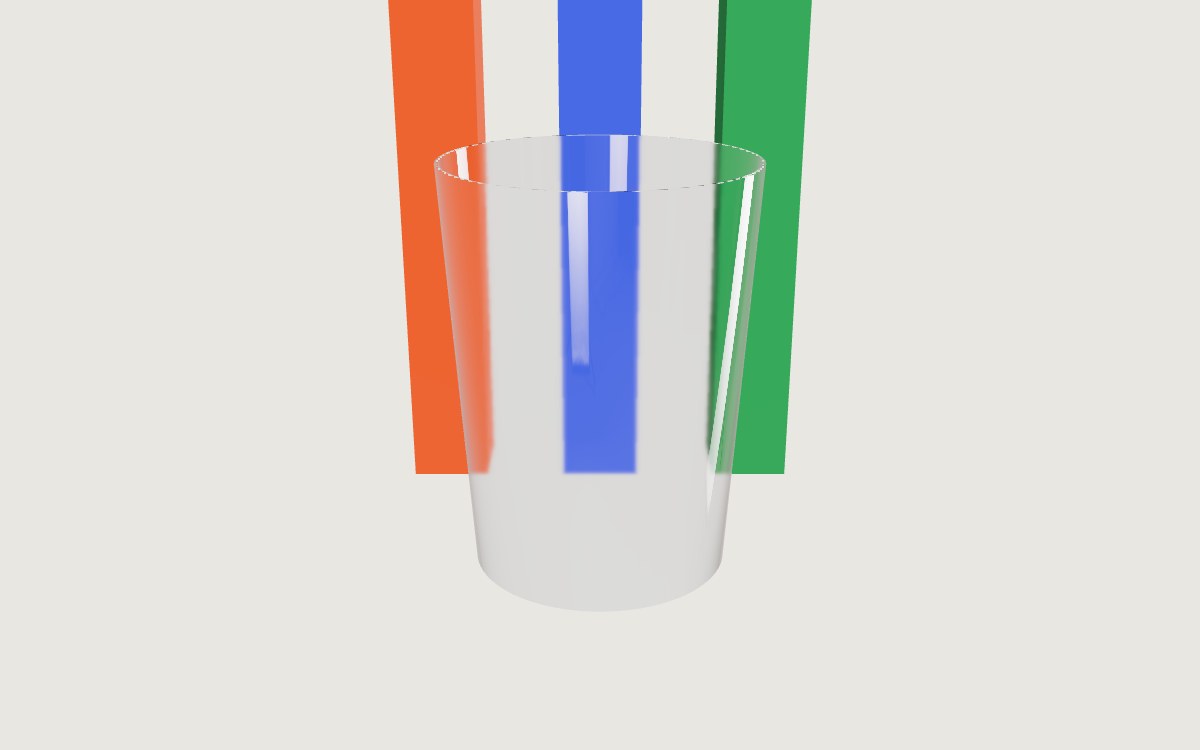
With side: THREE.FrontSide, the default, the near wall shows only what is
behind the glass, and the far wall's highlights and the base are gone.
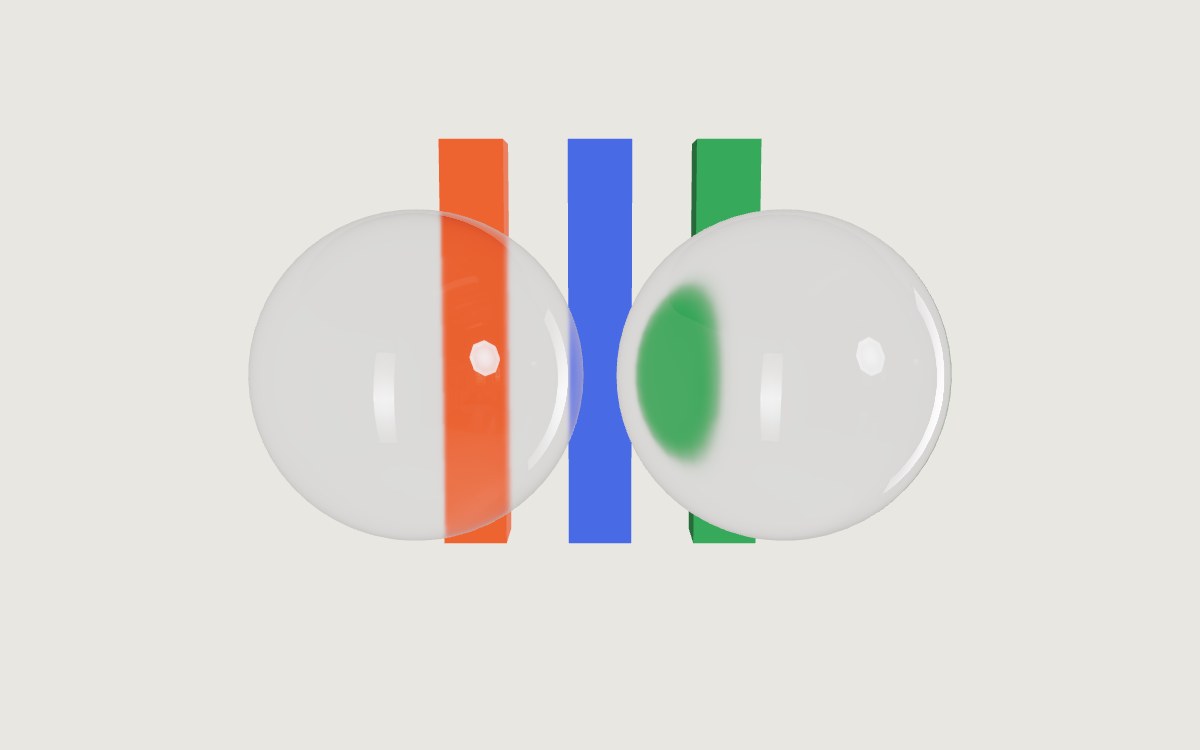
Glass behind glass disappears
Place a wine glass in front of a vase, and the vase disappears from inside the wine glass. The buffer that three.js reads behind the glass only contains opaque objects. Other glass, and anything with transparent: true, gets left out. There is no setting for it.
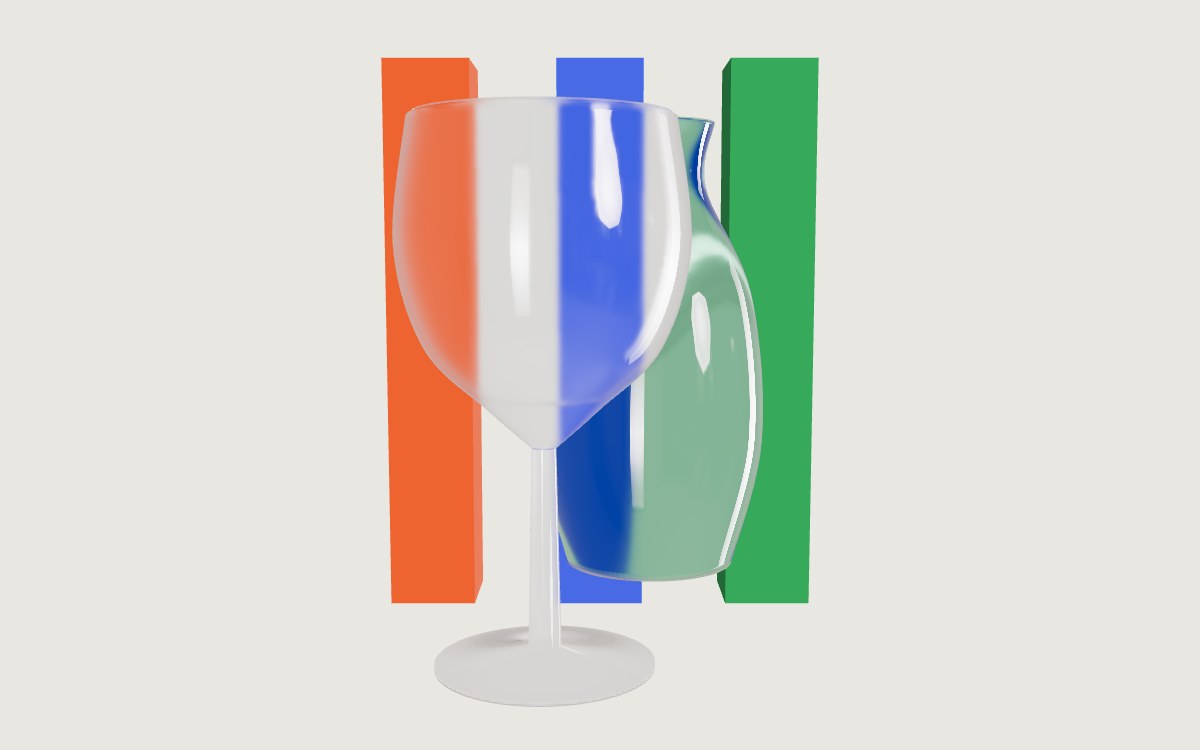
In plain three.js, frame your shot so glass does not overlap glass. In React Three Fiber, drei's MeshTransmissionMaterial creates its own buffer of the whole scene with only its own mesh removed, so other glass shows through (see the R3F section). That benefit costs one extra render of the scene per frame for each mesh that uses it, and two with backside.
Glass casts a solid black shadow
Turn on shadows and a glass ball will drop a very dark shadow. three.js shadow maps only track whether something blocks light, and they do not handle transmission at all. The common workaround is to turn off shadows for glass entirely.
renderer.shadowMap.enabled = true;
ball.castShadow = false;
Neither is right. A real glass shadow is mostly light, with a bright spot in the middle where the glass focuses the lamp onto the floor. A shadow map cannot draw that.
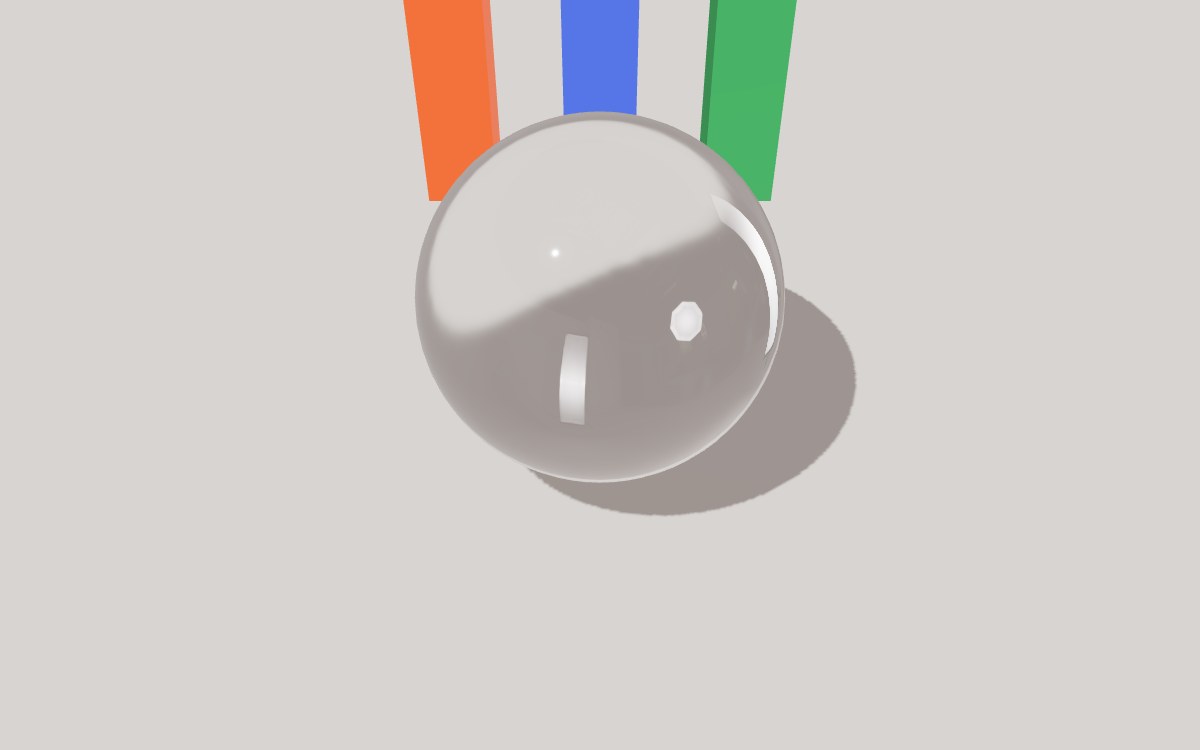
Glass on a transparent canvas
If the canvas is transparent (alpha: true) so the page shows through, glass
cannot bend that page. When the clear color has an alpha below 1, three.js
clears the buffer behind the glass to white at half opacity, and that is what
the glass refracts. On screen the glass turns pale where the page should be,
with the page faintly behind it and not bent at all.
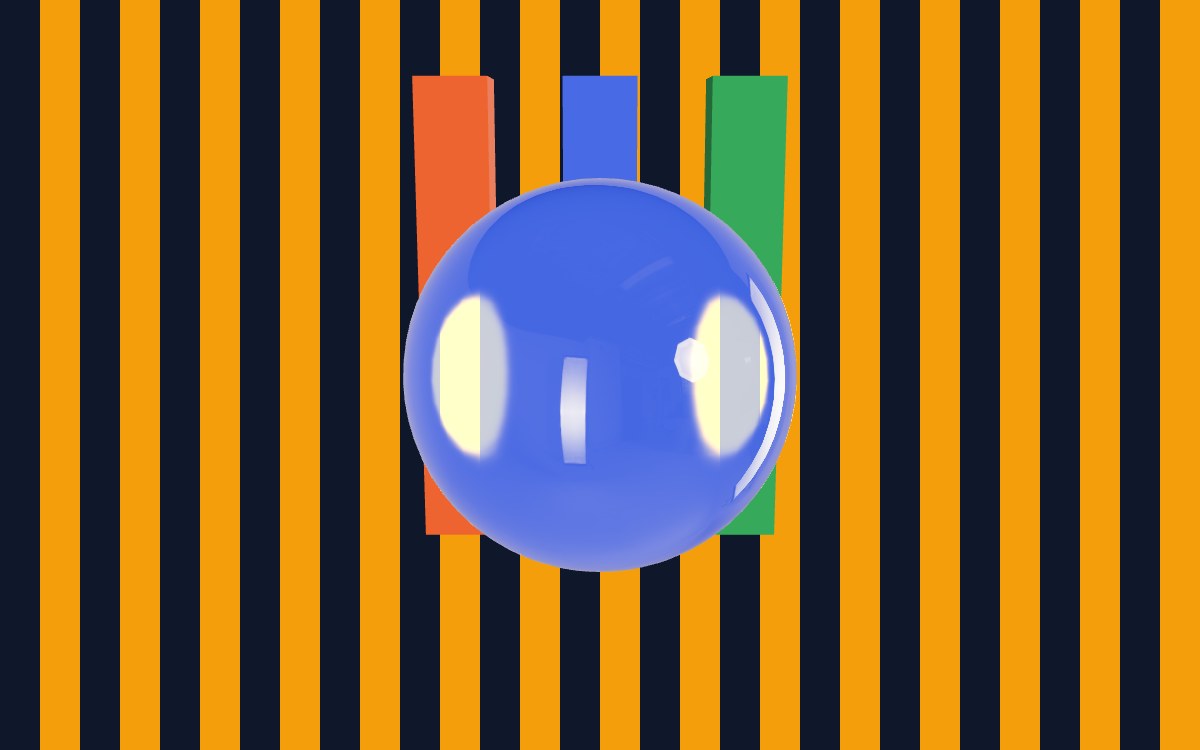
To get the background bending through the glass, give the scene a background color or put a large backdrop mesh behind the product.
In React Three Fiber
The same material works as JSX. R3F already turns on ACES Filmic tone mapping, and drei's <Environment> loads the HDRI.
export function GlassScene() {
  return (
    <Canvas camera={{ position: [0, 0.6, 3], fov: 35 }}>
      <color attach="background" args={['#e9e7e2']} />
      <Environment preset="city" />
      <mesh>
        <sphereGeometry args={[0.5, 64, 32]} />
        <meshPhysicalMaterial roughness={0} transmission={1} thickness={1} ior={1.5} />
      </mesh>
    </Canvas>
  );
}
A preset downloads its HDRI from a CDN that drei names. For a site you ship, pass your own file with files="/hdri/studio.hdr".
When glass stands behind glass, use MeshTransmissionMaterial for both.
<mesh position={[-0.3, 0, 0]}>
  <sphereGeometry args={[0.5, 64, 32]} />
  <MeshTransmissionMaterial thickness={1} roughness={0} ior={1.5} backside />
</mesh>
<mesh position={[0.3, 0, -1]}>
  <sphereGeometry args={[0.5, 64, 32]} />
  <MeshTransmissionMaterial thickness={1} roughness={0} ior={1.5} backside />
</mesh>
How to make the glass look even better
Rendering glass in three.js is an approximation. To keep it fast, three.js simplifies how glass bends light and how it casts shadows, so the result looks less realistic than real glass.
When you need a picture of the glass rather than a live view of it, Bakery3 renders the scene you already have with a path tracer. This works really well if you have a product configurator showing objects with glass, such as a glass table or a perfume bottle. Your MeshPhysicalMaterial is used as it is, and the depth of the glass comes from the mesh itself. Any thickness above zero renders the same, and attenuationColor builds up over the real depth, so the thick middle of a bottle comes out deeper than its edges. The light that passes through the glass lands on the floor.
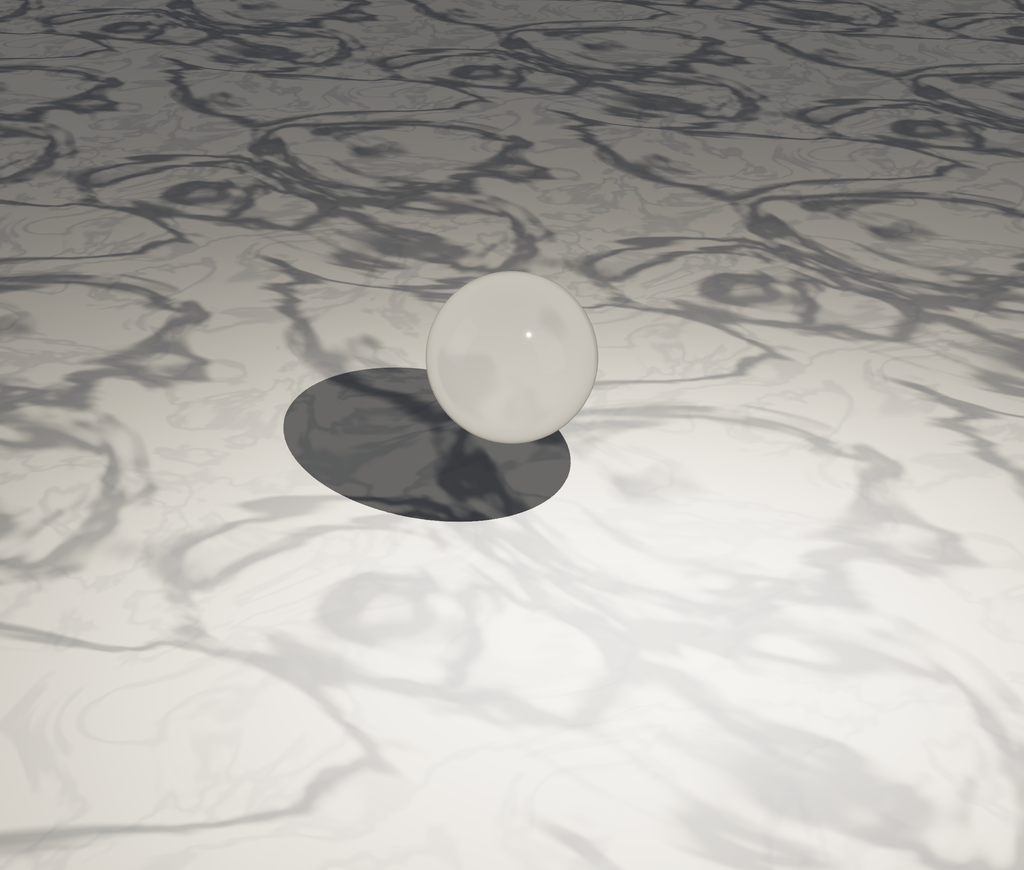
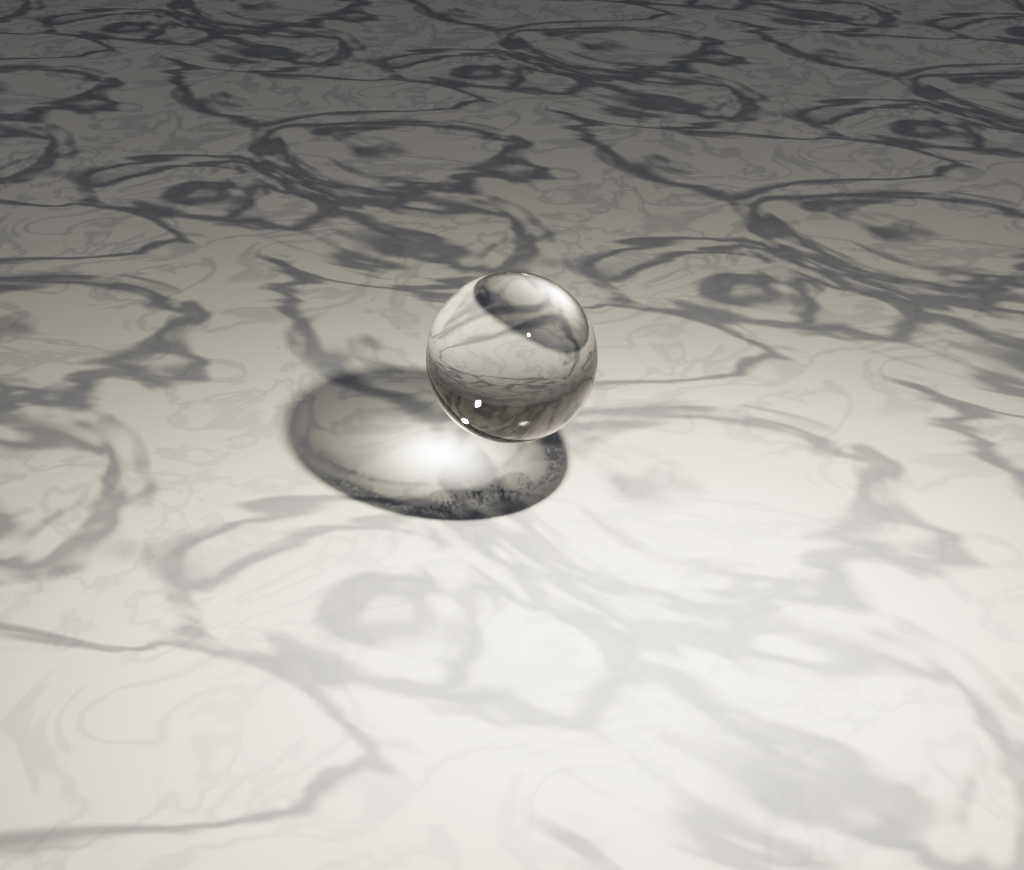
The renderer follows the light from the lamp through the ball to the floor, so the bright spot in its shadow comes out clean and sharp, with no extra samples.
1024×870·studio preset·caustics: sharp
// An API key while you test. In production, use a token from your server instead:
// https://bakery3.com/docs#let-your-users-render-without-exposing-your-api-key
const bakery3 = createBakery3({ apiKey: 'bk_sk_…' });
bakery3.attach({ scene, camera, renderer });

async function renderGlass(): Promise<string> {
  const job = await bakery3.render({ width: 2048, advanced: { caustics: 'sharp' } });
  const result = await job.result();
  return result.url;
}
caustics: 'sharp' is for smooth glass under a lamp, like this ball. A diamond, or any other cut gem, needs 'soft', and both take longer to render. Light shining through glass explains which to choose. dispersion does not render yet, and Materials lists what does. To connect your own scene, start with the quickstart, and for glass in a video, see the looping caustics tutorial.
Common questions
Can MeshStandardMaterial make glass in three.js?
No. MeshStandardMaterial has no transmission property, so the most it can do is fade with opacity, which never bends what is behind it. Switch to MeshPhysicalMaterial, which extends MeshStandardMaterial, so your color, roughness and maps carry over, and set transmission: 1 with a thickness above zero.
What is the difference between transmission and opacity in three.js?
transmission on a three.js MeshPhysicalMaterial lets light pass through the surface while its reflections stay at full strength, the way real glass behaves. opacity with transparent: true fades the whole surface, reflections included, so very see-through objects look washed out. The three.js docs say to leave opacity at 1 whenever transmission is above zero.
Why does glass make my three.js scene slow on phones?
While any object with transmission above zero is on screen, three.js draws every opaque object a second time each frame, into a buffer the size of the canvas, so the glass has something to show through it. Set renderer.transmissionResolutionScale = 0.5 to draw that buffer at half the width and height, a quarter of the pixels. Rough glass costs no more than clear glass.
How do I make water in three.js?
For water in a glass or a bowl, use a three.js MeshPhysicalMaterial with transmission: 1, roughness: 0 and ior: 1.33, the refractive index of water. For a lake or a sea, three.js ships a Water object in three/addons/objects/Water.js, a plane that reflects the scene above it and ripples with the normal map you pass as waterNormals.
How do I make glass text in three.js?
Build the letters with TextGeometry from the three.js addons, which takes a typeface font loaded with FontLoader, and give the mesh a MeshPhysicalMaterial with transmission: 1, roughness: 0 and a thickness about the depth of the letters. Turn on bevelEnabled so the edges get slanted faces that catch highlights from the environment map.