
Render a looping caustics video from a Three.js sketch
A clip that loops without a seam plays forever as a hero, a background or a post, and nobody sees where it starts again. This one is a dark orb that glows at seven points, a ring of glass around it, and a camera that goes around once, and this is every step that made it.
The whole scene is about seventy lines. What makes it worth a tutorial is that two things have to be true at once, and each is easy to get wrong.
- The viewport and the render have to agree. The orb's glowing points are a shader, and a shader usually does not survive the trip to a path tracer. This one does, exactly.
- The clip has to loop. Not with a crossfade. The last frame has to run into the first.
You need Three.js r171 or later (the shapes module uses three/webgpu and
three/tsl), a WebGPURenderer, and the SDK.
npm install three @oeave/bakery31. A renderer, a scene, a camera
Nothing here is specific to rendering. The tone mapping matters, because the render adopts whatever the viewport is set to, so the two halves are graded the same way.
import * as THREE from 'three';
import { WebGPURenderer } from 'three/webgpu';
import { createBakery3 } from '@oeave/bakery3';
import { createEnvironment } from '@oeave/bakery3/environments';
import {
  animateComposition,
  createComposition,
  followGlow,
  snapshotReflections,
  type Composition,
} from '@oeave/bakery3/shapes';

const renderer = new WebGPURenderer({ antialias: true });
renderer.toneMapping = THREE.ACESFilmicToneMapping;
renderer.setSize(window.innerWidth, window.innerHeight);
document.body.appendChild(renderer.domElement);
await renderer.init();

const scene = new THREE.Scene();
const camera = new THREE.PerspectiveCamera(36, 16 / 9, 0.01, 200);
const target: [number, number, number] = [-0.03, 0.6, 0.07];
camera.position.set(1.95, 2.71, 3.51);
camera.lookAt(...target);
The camera sits 28° above the floor on purpose. The caustics land on the floor, so a camera at eye level would look straight past them.
2. A stage the light can land on
scene.add(
  createEnvironment({
    shape: 'groundSphere',
    shader: 'gradient',
    mode: 'light', // for its matte ground: a caustic needs a surface that scatters
    palette: ['#06070d', '#0e2a3a', '#1d4a63'], // and then the dome is turned down to dusk
    intensity: 0.7,
    seed: 19,
    fill: true, // a viewport-only light; it never reaches the render
  }),
);
This is the step that is least obvious and matters most. A dark scene needs
the dark mode, and the dark mode's ground is glossy, near-black ink. A
caustic is light arriving at a surface, and a surface that scatters well under
1% of it shows you a mirror image of the glass where the pool of light should
be. So the scene takes the light mode for its matte,
pale ground and then makes it night anyway, with a dark palette and the dome's
emission turned down from the mode's 1.2 to 0.7. The floor looks dark
because almost nothing is lighting it. Whatever the orb throws at it shows.
fill: true adds a hemisphere light for the viewport only. A rasterizer takes
no light from an emissive dome, so without it the preview is black. It is
excluded from the capture, and it dims with intensity, so turning the dome
down turns the preview down with it. More in
environments.
3. The orb, and the glass around it
A composition is a list of shapes. Each has a kind, a finish, where it sits, and how it
moves. Positions are meters with y up from the floor, and size is the longest
extent.
const CYAN = '#33d1ff';
const MAGENTA = '#ff2d95';
const WHITE = '#ffffff';

const sketch: Composition = {
  kind: 'composition',
  seed: 19,
  shapes: [
    // The orb: a noise-pushed sphere whose TSL surface emits at seven points.
    { id: 'core', kind: 'blob', finish: 'beacon', color: CYAN, position: [0, 0.8, 0], size: 0.62, noise: 0.6, strength: 14,
      motion: [{ kind: 'tumble', turns: 1 }, { kind: 'spin', axis: 'y', turns: -1 }, { kind: 'bob', amount: 0.05, cycles: 2 }] },
    // The glass the light has to pass through.
    { id: 'halo', kind: 'ring', finish: 'glass', color: WHITE, position: [0, 0.8, 0], size: 1.5, rotation: [68, 0, 14], motion: [{ kind: 'spin', axis: 'y', turns: 1 }] },
    { id: 'lens', kind: 'sphere', finish: 'glass', color: WHITE, position: [0.86, 0.26, 0.38], size: 0.52 },
    { id: 'gem', kind: 'blob', finish: 'glass', color: '#ffd9ec', position: [-0.82, 0.3, 0.5], size: 0.56, motion: [{ kind: 'spin', axis: 'y', turns: 1 }] },
    { id: 'knot', kind: 'knot', finish: 'glass', color: WHITE, position: [-0.36, 0.34, -0.92], size: 0.52, rotation: [20, 0, 0], motion: [{ kind: 'tumble', turns: 1 }] },
    { id: 'pill', kind: 'capsule', finish: 'glass', color: '#d6f4ff', position: [0.72, 0.31, -0.76], size: 0.62 },
    { id: 'loop', kind: 'torus', finish: 'glass', color: WHITE, position: [0.08, 0.08, 1.02], size: 0.5, rotation: [90, 0, 0] },
    // A second color, going round the other way.
    { id: 'ember', kind: 'sphere', finish: 'glow', color: MAGENTA, position: [1.3, 0.2, 0], size: 0.14, strength: 45,
      motion: [{ kind: 'orbit', turns: -1 }, { kind: 'glow', amount: 0.4, cycles: 2 }] },
    { id: 'stone', kind: 'pebble', finish: 'matte', color: '#dfe4ec', position: [-1.22, 0.13, -0.28], size: 0.42 },
  ],
};

const built = createComposition(sketch);
scene.add(built.group);
To make the caustics show, the code places the glass and the lights like this.
The glass is close to the floor. A lens focuses light a short way behind itself. The sphere, the blob and the capsule rest on the ground, so their pools land right beside them, in frame. The torus lies flat for the same reason.
The emitters are small and bright. A caustic is an image of the light source, bent. A large, soft source gives a large, soft smear, and a small one gives a pool with an edge. The orb's seven points are each under ten centimeters across.
The lumps are real geometry. A blob is a sphere whose vertices were
pushed along their normals by seeded noise before export, so the viewport and
the render share one mesh to the vertex. Displacing in the vertex shader
(positionNode) would preview lumpy and render smooth, and the SDK refuses it
for that reason.
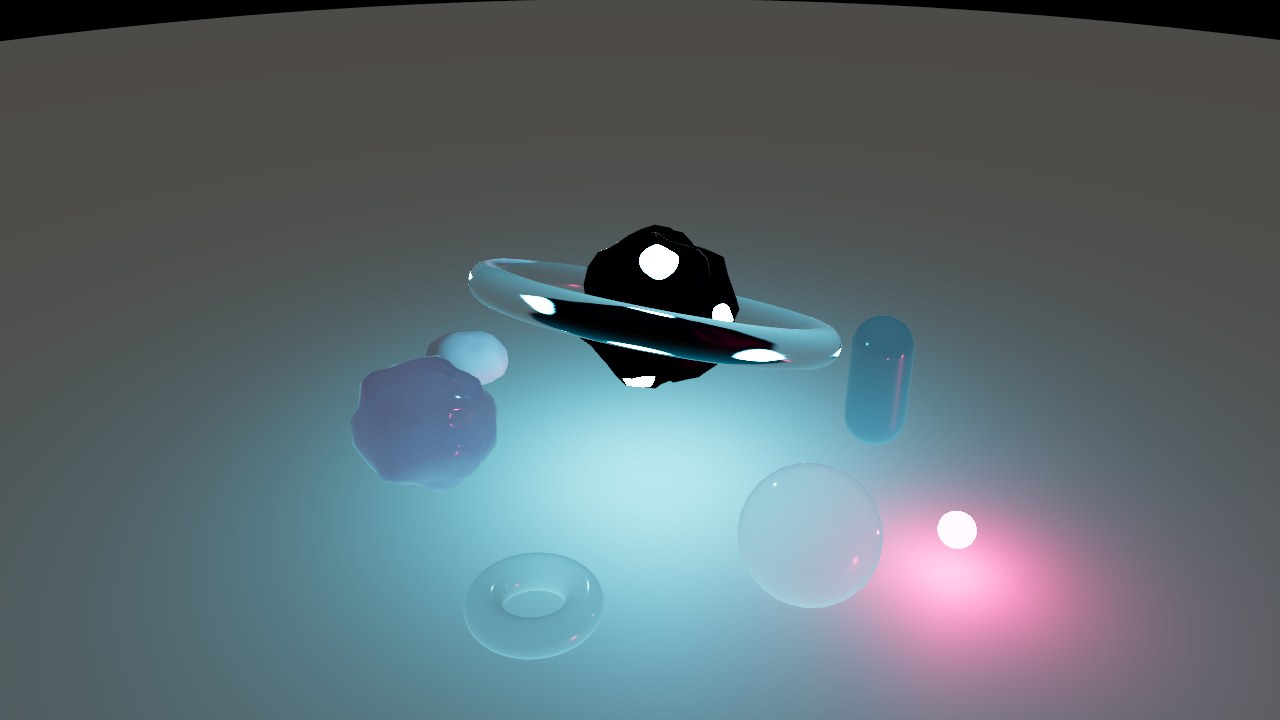
What the beacon finish is
beacon is about fifteen lines of TSL, and you can write your own the same
way. The surface asks which way it faces from the orb's center, compares that
with a handful of fixed directions, and emits inside a soft-edged cap around
each one.
import { MeshStandardNodeMaterial, type Node } from 'three/webgpu';
import { color, dot, float, normalize, positionLocal, saturate, smoothstep, vec3, type ShaderNodeObject } from 'three/tsl';

const POINTS = [[0, 1, 0], [0.94, -0.33, 0], [-0.47, -0.33, 0.82], [-0.47, -0.33, -0.82]];
const LIT = Math.cos((7 * Math.PI) / 180); // fully lit inside 7 degrees
const DARK = Math.cos((13 * Math.PI) / 180); // dark by 13

const material = new MeshStandardNodeMaterial();
const direction = normalize(positionLocal);
let mask: ShaderNodeObject<Node> = float(0);
for (const [x, y, z] of POINTS) {
  mask = mask.add(smoothstep(DARK, LIT, dot(direction, vec3(x, y, z))));
}

material.colorNode = color('#020a0d');
material.emissiveNode = color('#33d1ff').mul(saturate(mask)).mul(float(150));
Every op in that graph (normalize, dot, smoothstep, saturate, the
object-space position) is in the
exact tier, so the renderer rebuilds it
exactly and gets the same number at every point of the surface. That is why, in
the finished clip, the points sit in the same place in the viewport and in the
render, frame for frame. Had the mask come from a noise function it would have
been the approximate tier,
with the same character and a different pattern, because the two noise lattices differ. For
"emit at these places" you want constants.
The points are fixed in object space, so they turn with the mesh. That is the whole animation of the light. The orb tumbles, and its seven points sweep the scene.
4. One timeline for the camera and the shapes
// An API key while you test. In production, use a token from your server instead:
// https://bakery3.com/docs#let-your-users-render-without-exposing-your-api-key
const bakery3 = createBakery3({ apiKey: 'bk_sk_…' });
bakery3.attach({ scene, camera });

const SECONDS = 10;
const FPS = 24;
const tl = bakery3.timeline({ duration: SECONDS, fps: FPS });
tl.push({ object: 'camera', orbitY: 360, lookAt: target }); // once round, so the last frame meets the first
animateComposition(tl, built, SECONDS, FPS); // every turn and cycle above is a whole number, for the same reason
An apiKey in the browser is for trying things out. A page you ship uses a
token endpoint instead.
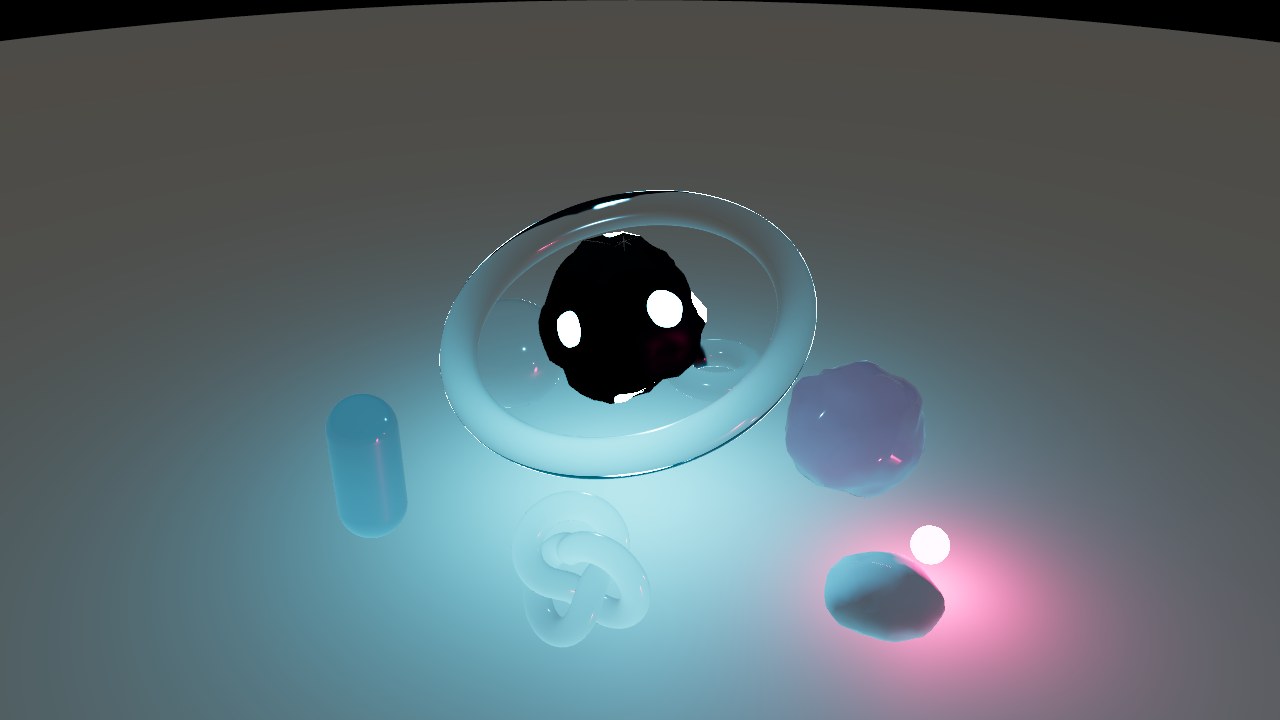
Why it loops
A clip loops when frame 240 would be frame 0. To make that true, do the following.
- Turn the camera exactly 360°. Angles are not wrapped, so
orbitY: 360is a whole revolution, and frameiis sampled ati / fps, so the clip ends one step short of where it began. The player'sloopsupplies the step. - Give every motion in the composition a whole number of turns or cycles. Here that is one tumble, one spin, two bobs, one orbit and two glow cycles. Look back at the spec and you will not find a fraction.
A camera that turns 40° instead looks fine until it repeats. If a move cannot
come back on its own (a part turn, a drift, a color change), pass
compositionLoop() to animateComposition and
the shapes fade out at the end and in at the start, so the seam happens on an
empty stage. A whole turn is simpler, and better.
animateComposition writes one keyframe per output frame onto the same
timeline the camera is on. Those samples are what travels in the manifest, so
what you scrub is what gets rendered.
5. Make the viewport honest enough to judge
const reflections = await snapshotReflections(renderer, scene, built, target);
const started = performance.now();
renderer.setAnimationLoop(() => {
  tl.seek(((performance.now() - started) / 1000) % SECONDS);
  followGlow(built);
  reflections.follow();
  if (reflections.busy) return; // a snapshot in flight has the glass hidden
  renderer.render(scene, camera);
});
A rasterizer cannot do two things this scene depends on, and the shapes module stands in for both, in the viewport only.
- Emission is not light. Each glowing shape carries a point light as a
stand-in, excluded from the capture.
followGlowkeeps it on the shape's emission every frame, so the ember's glow cycle reads live too. - Glass reflects nothing without an environment map.
snapshotReflectionsrenders the scene from the composition's center into a PMREM and gives it to the glass as itsenvMap.follow()retakes it when an emitter has moved. While one is being taken the glass is hidden (it must not reflect itself), which is whatbusyis for. Keep the last frame up instead of drawing one without the glass.
What the viewport still cannot do is the point of the exercise. It cannot carry light through the glass to the floor. You will see glass, glow, and a flat wash on the ground. The pools only exist in the render.
6. Check, then render
const report = bakery3.check();check() runs locally and costs nothing. For this scene it comes back with a
score of 1 and no issues. Every material, including the TSL one, can be rendered.
Run it before every render you pay for.
const job = await bakery3.renderVideo({
  timeline: tl,
  format: 'mp4',
  fps: FPS,
  quality: 'preview',
  width: 1920, // twice the width it will be shown at
  height: 1080,
  advanced: { caustics: 'soft', samples: 64 },
});

job.on('progress', ({ percent }) => console.log(`${percent}%`));
const video = await job.result();
Caustics are off by default, and light from an emissive mesh only ever goes
the 'soft' way.
7. Make the MP4 for your page
The render is the master. The file on the page is steadied and then scaled down from it.
ffmpeg -i master.mp4 -i master.mp4 -i master.mp4 -an -filter_complex "\
  [0:v]trim=start_frame=232:end_frame=240,setpts=N/24/TB[pre]; \
  [1:v]setpts=N/24/TB[mid]; \
  [2:v]trim=start_frame=0:end_frame=8,setpts=N/24/TB[post]; \
  [pre][mid][post]concat=n=3:v=1,format=gbrp, \
  atadenoise=0a=0.06:0b=0.12:1a=0.06:1b=0.12:2a=0.06:2b=0.12:s=9, \
  trim=start_frame=8:end_frame=248,setpts=N/24/TB, \
  scale=1280:720:flags=lanczos,format=yuv420p" \
  -c:v libx264 -preset slow -crf 20 -movflags +faststart orbit.mp4

ffmpeg -i orbit.mp4 -frames:v 1 -update 1 -q:v 3 orbit.jpg
Read it from the middle. atadenoise is the temporal filter. It works over up to 9 frames,
and two pixels are only averaged when they differ by less than 6%. Everything
around it is for the loop. A temporal filter looks at the frames before and
after each one, and at the start of a file there are none before. So the clip
is wrapped first, its last 8 frames in front and its first 8 behind, filtered,
and trimmed back to the original 240. The filter sees around the seam the way a
player does, and the seam stays invisible.
After that, scale brings it down to the published size, -an drops the
(empty) audio track, yuv420p is what every browser decodes, and +faststart
moves the index to the front so the clip starts before it has finished
downloading.
<video src="/orbit.mp4" poster="/orbit.jpg" width="1280" height="720"
       muted loop playsinline preload="metadata"></video>
loop is the entire looping mechanism. There is no crossfade because there is
no seam. On this site the clip plays only while it is on screen and not at all
for a reader who asked their system for less motion. They get the poster and a
play button.
If you want proof rather than a look, extract the last frame and the first and diff them. On this clip the step across the seam and an ordinary step between neighboring frames come out the same.
What this clip measured
240 frames at 24 fps, 10 s, rendered at 1920×1080Those numbers are read from the capture's own record, not typed here. The
scene in this article is also a page in our repository, and a script opens it
in a real browser and checks what this article promises. It builds,
check() is clean, it is 240 frames and it loops. The same
clip, set against the viewport it came from, is on the
creative coding page.
Common questions
Can Three.js render real caustics from glass?
Not in the WebGL or WebGPU viewport, because a rasterizer shades each surface from the scene's lights and never carries light through glass to the floor behind it. A MeshPhysicalMaterial with transmission refracts what is behind it, but its shadow is still solid. Real caustics come from a path-traced render, and with Bakery3 that is render() or renderVideo() with advanced: { caustics: 'soft' }.
Why doesn't an emissive material light other objects in Three.js?
In Three.js, emissive and emissiveNode only color the material's own surface, so a glowing mesh brightens nothing around it in the viewport. The usual fix is a PointLight placed at the glowing mesh. A path-traced render treats an emissive mesh as a real light, which is why a glowing shape can throw light through glass onto the floor in the render and not in the viewport.
How do I make a Three.js animation loop seamlessly?
Make every motion complete a whole number of turns or cycles over the clip, and sample frame i at time i / fps, so the last frame ends one step before the first one comes back. A camera orbit of exactly 360 degrees loops, and a 40 degree turn does not. Then play the file with the loop attribute on the <video> element, and no crossfade is needed.
How do I export a Three.js scene as an MP4 video?
Three.js has no built-in video export, so the usual routes are recording the canvas with MediaRecorder, which records in real time and can drop frames, or saving every frame as a PNG and encoding them with ffmpeg. Both capture only what the viewport draws. Bakery3's renderVideo({ timeline, format: 'mp4' }) path traces every frame of a timeline from the same scene and returns an MP4 file, as Render video shows.
Do Three.js TSL node materials look the same when path traced?
With Bakery3 they match exactly when a MeshStandardNodeMaterial or MeshPhysicalNodeMaterial graph uses exact operations such as normalize, dot, smoothstep and saturate, so a TSL pattern lands in the same place in the viewport and the render. Noise functions are approximate and give a similar but different pattern, while positionNode displacement and GLSL ShaderMaterial do not render. bakery3.check() runs locally and reports which is which before you render.