
Use a lightmap in Three.js
Updated on . Tested with three.js r186, R3F 9 and drei 10.
Sometimes a three.js scene looks flat. There are no soft shadows, no light bounces off the walls and the corners are as bright as the rest of the room. A lightmap fixes this. It is a texture with the scene's light baked into it, so the scene looks lit by real light and still runs smoothly on a phone.

To add a lightmap to your scene, do the following.
- Set the texture as
material.lightMap. - Set
texture.channel = 1so it uses the mesh's second UV set,uv1. - Set
material.needsUpdate = true. - If the lightmap was baked as the brightness of a white surface, set
lightMapIntensitytoMath.PI. - Switch off the lamps whose light is already in the lightmap, or the scene is lit twice.
Add a lightmap to a mesh
Set the texture as the material's lightMap, point it at the second UV set and tell three.js the material changed.
function applyLightmap(mesh: THREE.Mesh, lightMap: THREE.Texture) {
  const material = mesh.material as THREE.MeshStandardMaterial;
  lightMap.channel = 1; // read the second UV set, uv1
  material.lightMap = lightMap;
  material.lightMapIntensity = Math.PI;
  material.needsUpdate = true; // three.js only notices a new map after this
}

async function loadLightmap(url: string): Promise<THREE.Texture> {
  const lightMap = await new THREE.TextureLoader().loadAsync(url);
  lightMap.flipY = false; // for a model from GLTFLoader, whose UVs start at the top left
  lightMap.colorSpace = THREE.SRGBColorSpace; // a PNG or JPEG; leave an EXR or HDR as it loads
  lightMap.generateMipmaps = false;
  lightMap.minFilter = THREE.LinearFilter;
  return lightMap;
}
A lightmap usually covers several meshes at once, each in its own part of the image. Load it once and give it to every mesh that was baked into it.
const lightMap = await loadLightmap('/lightmaps/scene.png');
const bakedMeshes = [floor, backWall, sideWall, windowWall, ball, box];

for (const mesh of bakedMeshes) {
  applyLightmap(mesh, lightMap);
}
The lightmap contains only light and shadow. Three.js multiplies it by the
material's color and map, so your textures stay as sharp as they were
while the light comes from the bake. It works on MeshStandardMaterial,
MeshPhysicalMaterial, MeshLambertMaterial, MeshPhongMaterial and
MeshBasicMaterial, which has no other lighting at all.
Mipmaps are off because a lightmap is pieces of many meshes packed side by side, and a mipmap averages neighboring pieces into each other.
The lightmap lands in the wrong place
A lightmap needs a UV set where each face of the mesh has its own area of
the image. Your color texture's UVs usually do not work for this, because
they often reuse one patch of texture on many faces. A model made for baking
has a second UV set for the lightmap. GLTFLoader loads glTF's TEXCOORD_1
as the attribute uv1, and setting channel = 1 tells the lightmap to use
it.
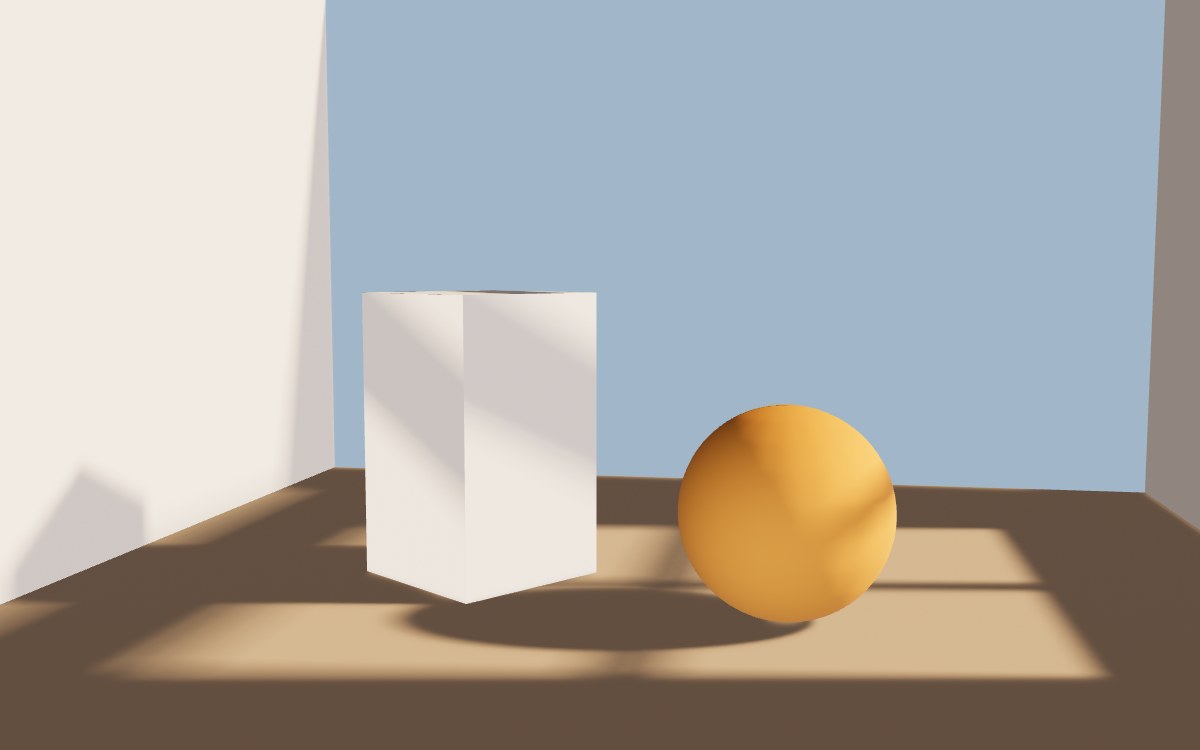
When two faces share an area, they get the same light. BoxGeometry gives each
of its six faces the whole square from 0 to 1, so a bake that uses those UVs
writes all six faces onto the same pixels. Here the side of the plinth that
faces away from the window caught the same band of sunlight as the side that
faces it.
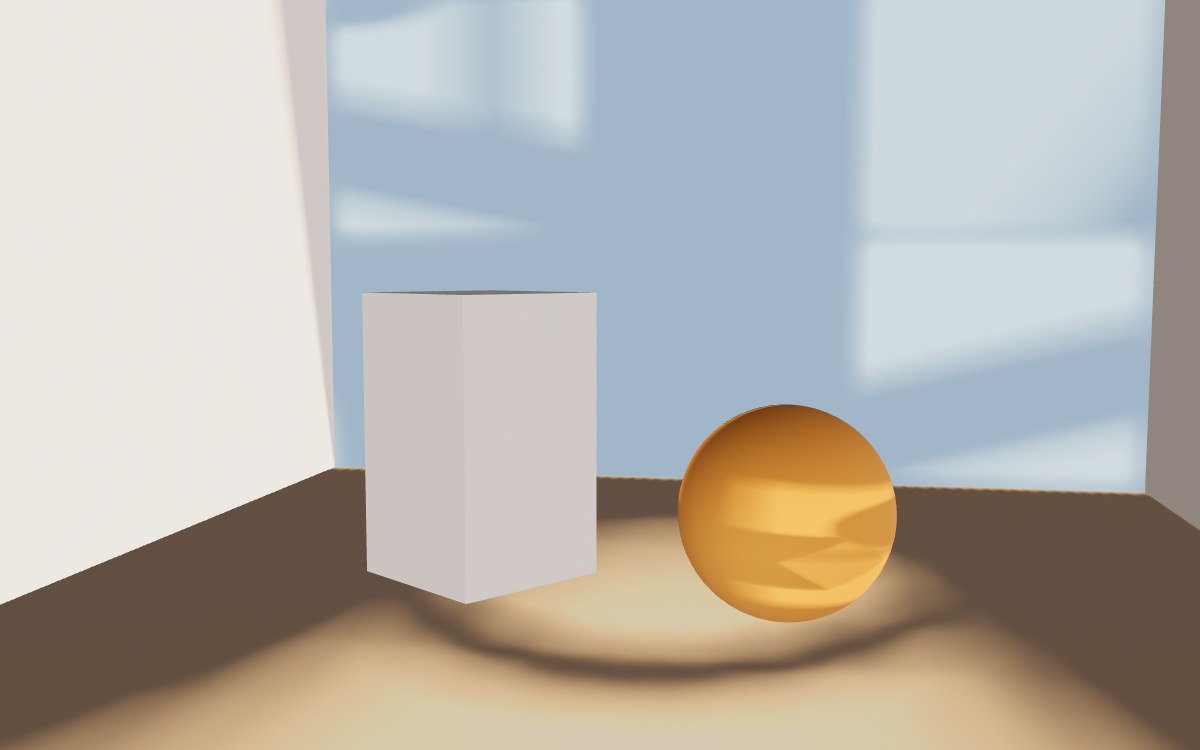
The other way to get it wrong is upside down. glTF puts UV (0, 0) at the
top left of an image and three.js at the bottom left, which is why
GLTFLoader sets flipY = false on every texture it loads. A lightmap you
load yourself for a glTF model needs the same. Leave flipY at its default
of true and each mesh reads pieces of the others' lightmaps.
Code that sets uv2 does nothing
Older answers copy the UVs into an attribute named uv2, because before
r151 the lightmap always read uv2. Since r151 it reads whichever set
texture.channel names, so 0 means uv, 1 means uv1 and 2 means
uv2. The
default is 0, so that old code now draws the lightmap with your color UVs
and no error. Name the attribute uv1 and set channel = 1. The change is in
the r151 migration notes.
The lightmap looks too dark
Three.js treats a lightmap texel as the light falling on the surface, and
divides it by π on the way to the screen, as it does for every diffuse light.
Many bakes store how bright a white surface looks under that light instead,
which is already divided by π. three.js's own ProgressiveLightMap does this,
and so does a 3D tool's diffuse lighting pass baked with color turned off. Shown at the default lightMapIntensity of 1, such a lightmap
comes out about a stop and a half dark.
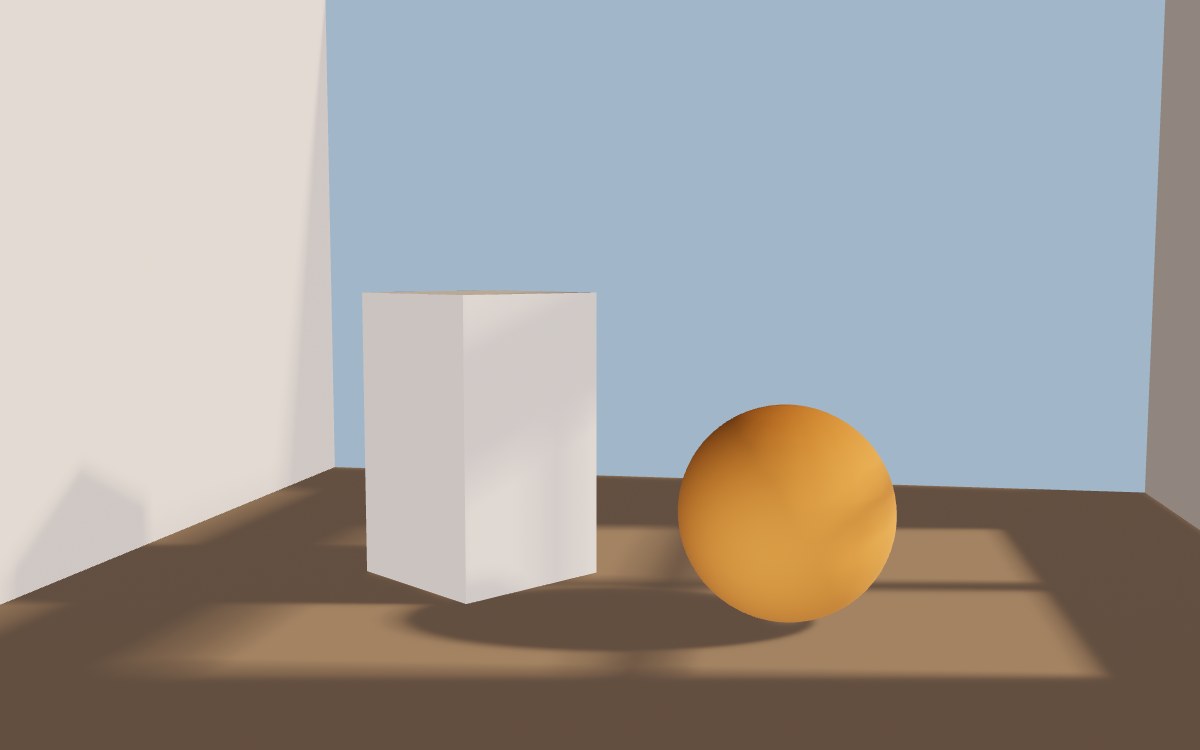
lightMapIntensity = Math.PI puts it back, which is what applyLightmap
above does. If your baker already stores the light falling on the surface,
keep it at 1.
The scene is too bright and the shadows fade
Three.js adds the lightmap to every other light on the surface. If the lamp you baked is still in the scene, its light arrives twice, once from the lightmap and once live. The live half lights the shadows the lightmap drew.
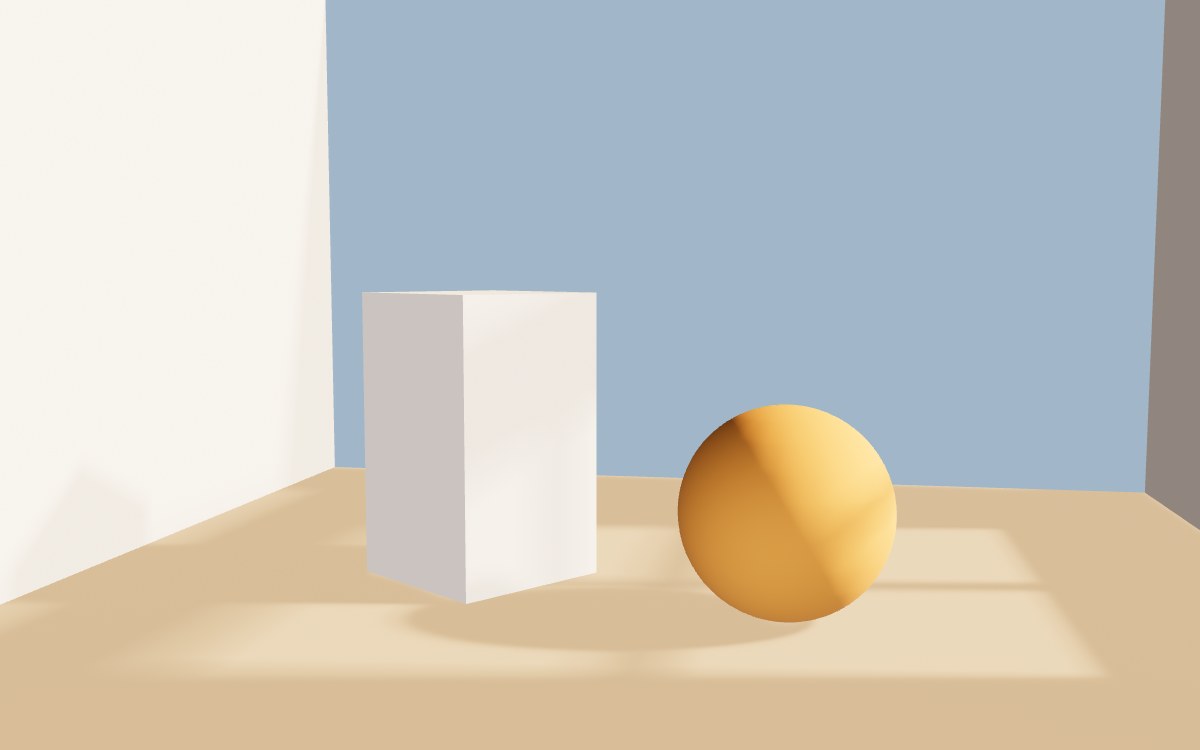
Switch off every lamp whose light is in the lightmap.
lamp.visible = false;An environment map adds diffuse light of its own as well as reflections. If
the sky or HDRI was part of the bake, its diffuse light arrives twice too.
scene.environmentIntensity turns down both halves together, so lower it
until the shadows read again.
Nothing changes when you set lightMap
Three.js builds a shader for each material the first time it draws it, and a
lightmap needs a different shader. Setting material.lightMap on a material
that is already on screen does nothing until you set
material.needsUpdate = true.
A material that gets its lightmap before its first frame does not need it.
Metal parts ignore the lightmap
A lightmap only lights the diffuse part of a material, and a metal has none,
because three.js sets its diffuse color to color × (1 − metalness). A floor with
metalness: 1 loses its baked light and shows only its reflection of the
environment.
This is an open three.js issue.
For a brushed metal part that has to show a baked shadow, lower metalness
below 1 so some diffuse light is left for the lightmap to darken.
Bake a lightmap in the browser
You do not need a 3D tool to try this. Three.js ships ProgressiveLightMap,
which bakes the lamps you give it into one lightmap for several meshes,
directly on the GPU.
import { ProgressiveLightMap } from 'three/addons/misc/ProgressiveLightMap.js';

// A lamp only for the bake, where the scene's lamp is.
const bakeLamp = new THREE.DirectionalLight('#ffe0b8', 6);
bakeLamp.castShadow = true;
bakeLamp.shadow.mapSize.set(1024, 1024);

const bakedMeshes = [floor, backWall, sideWall, windowWall, ball, box];
const baker = new ProgressiveLightMap(renderer, 1024);
baker.addObjectsToLightMap([...bakedMeshes, bakeLamp]);

// Move the lamp a little each pass. The average of all the passes is a soft shadow.
for (let pass = 0; pass < 300; pass++) {
  bakeLamp.position.set(5, 3, -0.8).add(new THREE.Vector3().randomDirection().multiplyScalar(0.15));
  baker.update(camera, 100);
}

const lightMap = baker.progressiveLightMap2.texture;

for (const mesh of bakedMeshes) {
  applyLightmap(mesh, lightMap);
}
Each pass draws one shadow map from a slightly different lamp position and
blends 1/100 of it into the lightmap (the 100 passed to update), which
starts out black. The light fades in and the edges of the shadows soften as
the passes add up.
After n passes the lightmap has reached 1 − 0.99ⁿ of its full brightness,
which is 63% at 100 passes and 95% at 300. The right half of the picture at the top of
this page is the result of those 300 passes.
renderer.shadowMap.enabled must be true, because each pass is an ordinary
shadow map.
ProgressiveLightMap makes uv1 for you. It copies each mesh's first UV
set, uv, into a square of its own in the lightmap. So uv must already
give every face its own area of the image, and it must stay between 0 and 1.
- If two faces use the same area of
uv, they get the same light. That is what went wrong with the box above. - If
uvgoes past 1, the mesh spills into the next mesh's square. AShapeGeometry, like the wall with the window here, does this, because its UVs are the outline's own coordinates. Scale them to 0 to 1 before the bake.
Only meshes in the bake cast shadows into the lightmap. That is why the wall with the window is in the list. It blocks the sun everywhere except through the window.
For a box, you can lay the six faces side by side yourself before the bake.
// Lay the six faces of a BoxGeometry side by side, three across and two down,
// with a small gap round each, so no two faces share an area of the lightmap.
function layOutFaces(geometry: THREE.BoxGeometry) {
  const uv = geometry.getAttribute('uv');
  for (let i = 0; i < uv.count; i++) {
    const face = Math.floor(i / 4);
    const u = uv.getX(i) * 0.9 + 0.05 + (face % 3);
    const v = uv.getY(i) * 0.9 + 0.05 + Math.floor(face / 3);
    uv.setXY(i, u / 3, v / 2);
  }
  uv.needsUpdate = true;
}
For a model, unwrap a second UV set in your 3D tool instead.
In React Three Fiber
Set the texture up in useTexture's callback, and give the lightmap to the
model's meshes in a layout effect.
export function BakedModel({ url, lightMapUrl }: { url: string; lightMapUrl: string }) {
  const { scene } = useGLTF(url);
  const lightMap = useTexture(lightMapUrl, (texture) => {
    texture.channel = 1;
    texture.flipY = false;
    texture.colorSpace = THREE.SRGBColorSpace;
  });

  useLayoutEffect(() => {
    scene.traverse((object) => {
      if (!(object instanceof THREE.Mesh)) return;
      object.material.lightMap = lightMap;
      object.material.lightMapIntensity = Math.PI;
      object.material.needsUpdate = true;
    });
  }, [scene, lightMap]);

  return <primitive object={scene} />;
}
useGLTF and useTexture come from @react-three/drei. The model's meshes
need their own TEXCOORD_1 for this, as above.
To bake in R3F, drei has <AccumulativeShadows>, which builds up soft
shadows pass by pass like ProgressiveLightMap. It bakes only the shadows on
one floor plane, so the walls and the objects keep their live lighting.
<AccumulativeShadows frames={300} temporal scale={10}>
  <RandomizedLight amount={8} radius={0.15} position={[5, 3, -0.8]} />
</AccumulativeShadows>
The canvas needs shadows, and each mesh that should cast a shadow needs
castShadow.
How to make the lighting look even better
ProgressiveLightMap bakes the direct light of the lamps you hand it. It does
not bake the sunlight that bounces off the floor and the walls into the rest
of the room, or the darkening where the ball meets the floor. Away from the
window, the room has only the environment map's even light, which is why it
stays so dark around the sunlight.
Bakery3 bakes your scene with a path tracer, the way an offline renderer lights it, and puts the lightmaps back on your meshes. It makes the second UV set, sets up the textures and picks the intensity, so none of the steps above are left to you.
import { createBakeSession } from '@oeave/bakery3/bake';

const job = await bakery3.bake();
const { bundle } = await job.result();

const session = createBakeSession({ scene });
await session.apply(session.addGeneration(bundle));
The session keeps your lamps on for highlights and takes the diffuse light
from the lightmap alone, so the scene is not lit twice. If you switched a
lamp off in the viewport because its light is in the lightmaps, mark it
renderOnly so the bake still uses it.
// The lamp's light is in the lightmaps, so the viewport leaves it off. A bake still traces it.
lamp.visible = false;
lamp.userData.bakery3 = { renderOnly: true };
Here is a whole room baked this way, which you can walk around in your browser.
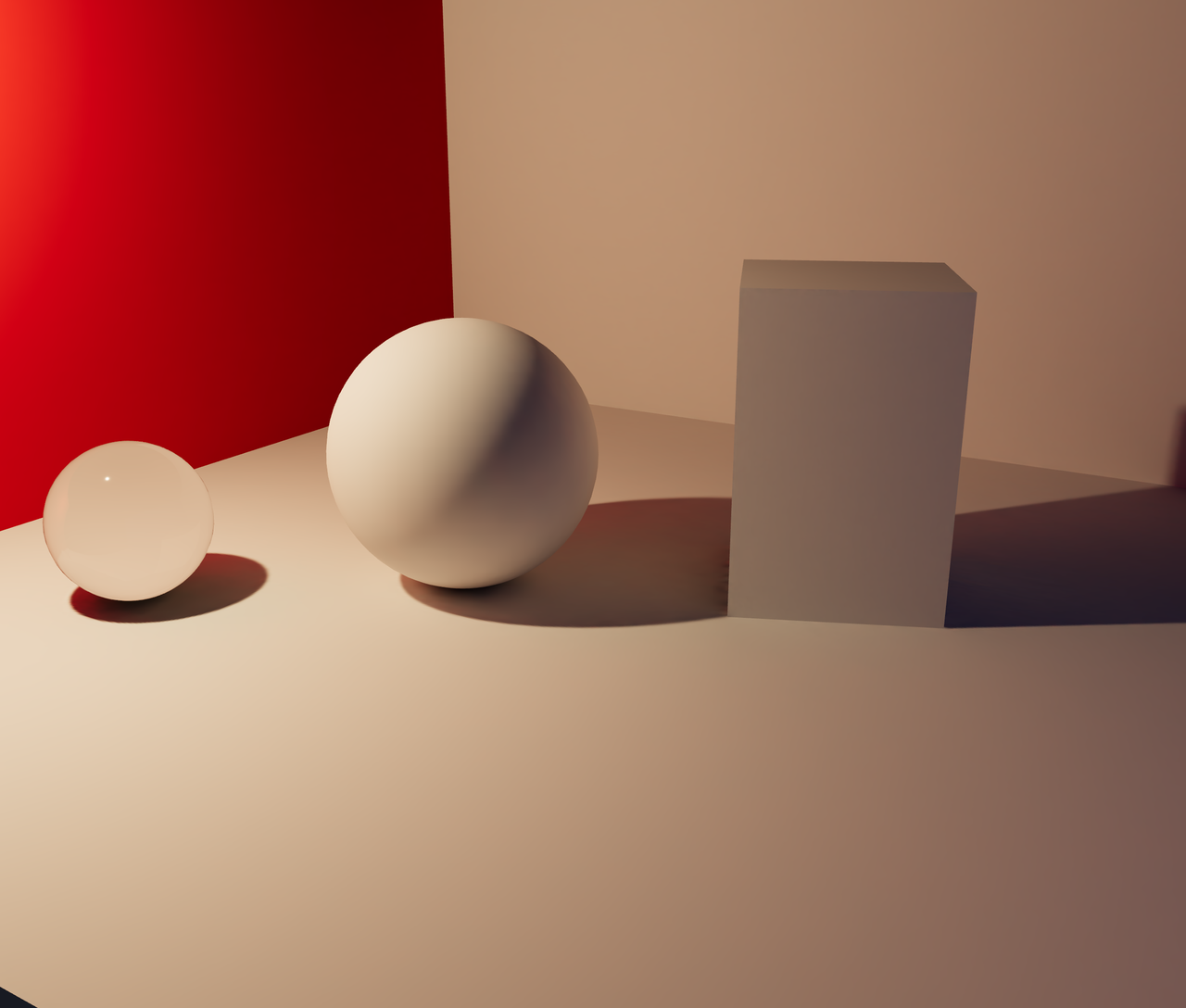 Baked GI
Both frames are the real-time viewport. The second is the same scene after a traced bake was applied as lightmaps. Still interactive, still your meshes, and revertible in one call.
up to 512² lightmaps·standard quality·6 object(s) lit·2% of seams in view·3.3 MB to interact
Connecting your scene takes a few lines.
Common questions
Does a lightmap in three.js need a second UV set?
Not always. Since r151 a three.js lightMap reads the UV set its texture's channel names, and the default 0 is the mesh's first set, uv. Most models still need a second set, uv1 with channel = 1, because their color UVs reuse one patch of texture on many faces, and every face needs its own area of the lightmap.
Does a glTF file carry its lightmap into three.js?
No. Core glTF 2.0 has no lightmap slot, and three.js's GLTFLoader never sets material.lightMap, so the baked lightmap travels as a separate image. GLTFLoader does load the model's TEXCOORD_1 as uv1, so load the image with flipY = false, set channel = 1 and give it to each mesh as its lightMap.
Do I need lights in the scene when I use a lightmap in three.js?
No. three.js adds a lightMap texel to the light that reaches the surface, so a mesh with a lightmap looks lit with no lamps in the scene at all. A lamp whose light is already in the lightmap lights the surface a second time and washes out the baked shadows, so switch it off.
How do I bake a lightmap in three.js without a 3D tool?
Use ProgressiveLightMap from three.js's addons, which bakes the shadows and direct light of the lamps you give it into one lightmap on the GPU, pass by pass. It works with WebGLRenderer, and ProgressiveLightMapGPU is the version for WebGPURenderer. It does not bake light bouncing between surfaces, so shaded areas stay as dark as the environment leaves them.
Does a three.js lightmap update when an object moves?
No. A lightMap is a fixed image read through the mesh's UVs, so the light and shadows stay where they were baked. A ball that rolls away leaves its baked shadow on the floor and takes its own baked shading with it. A lightmap suits the parts of a scene that stay still, and a moving part needs live lights or a new bake.